Puerto routes every payment to a bank that can take it.
Cards, wallets, bank transfers and crypto through one API. When a bank declines, the payment can go out on another route.
Local methods, where your customers are.
More than a hundred payment methods across regions, from one integration.
Europe
- SEPA
- iDEAL
- Bancontact
- Sofort
- Giropay
- Klarna
- BLIK
- Przelewy24
- MB Way
- Multibanco
- MyBank
- Faster Payments
- Open banking
- Skrill
- Neteller
- Paysafecard
- MuchBetter
- Jeton
- MiFinity
Latin America
- PIX
- Boleto
- Khipu
- Mach
- OXXO
- Nequi
- Bank transfers in 8 countries
- Cash in 8 countries
Asia and Pacific
- UPI
- IMPS
- DANA
- LinkAja
- KakaoPay
- Naver Pay
- Toss
- PAYCO
- Touch 'n Go
- PayID
- Bank transfers in 7 countries
Africa and Türkiye
- Mobile money
- USSD
- OPay
- PalmPay
- Bank transfers in Africa and Morocco
- Papara
- Payfix
- Bank transfers in Türkiye
North America
- Interac e-Transfer
- Bank transfers in Canada
Everywhere
- Cards
- Apple Pay
- Google Pay
- Crypto
- Binance Pay
- Vouchers
Money in, money out, and where it is.
Take payments
One integration for cards, wallets, bank transfers and crypto. Your backend calls the API, or your customer pays on the hosted checkout.
Route across banks
With one bank, a decline is a lost payment. With Puerto, cascading rules send it on to the next bank, and the customer pays.
Pay out
Send money to cards and bank accounts one by one, or many at once in a batch.
See where it is
Balances per project and currency, with transactions, orders and payouts, in your merchant cabinet.
- Virtual IBANs
- Customers pay by bank transfer to an IBAN of your project.
- Saved cards
- Cards can be bound to your customers.
- Refunds and chargebacks
- Refunds and chargebacks, each traced back to its payment.
- Antifraud
- Checks on payments and payouts, switched on per project.
- Apple Pay and Google Pay
- Your own merchant identities, set up per project.
- Multi-currency balances
- Settlement, available balance and rolling reserve per currency.
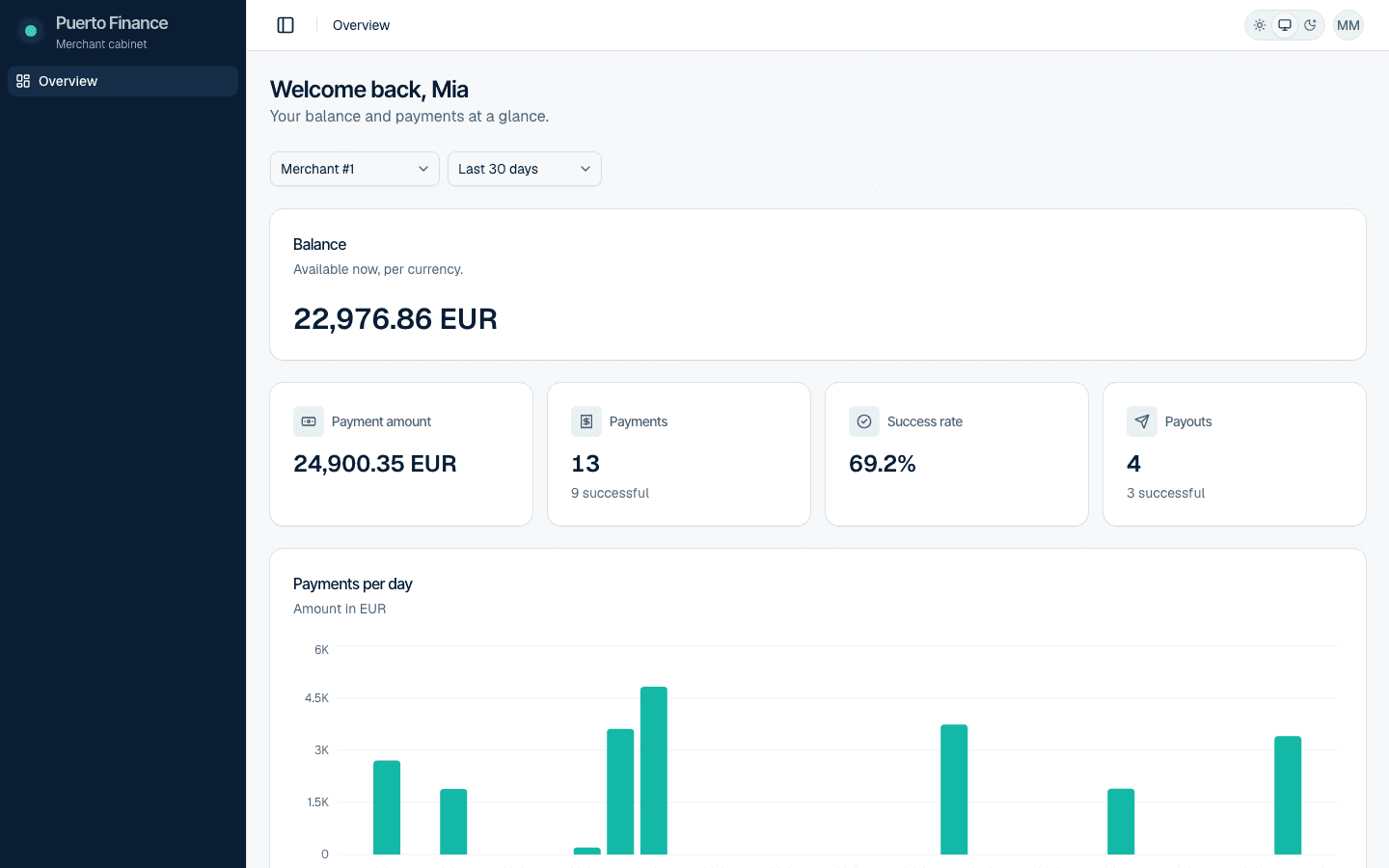
See every payment as it happens.
Balances, payments and payouts of each of your merchants, in one place.
Three ways in.
Pick how much of the payment flow you build yourself; payments from all three show up in the merchant cabinet.
- 01APIYour backend creates payments and payouts through the API.
- 02Hosted payment pageSend the customer to a payment page in your brand.
- 03WidgetsPut the cashier into your site, with the methods each widget offers.
Your brand on every payment.
A hosted payment page and embeddable widgets with your colours, logo, fonts and languages. Choose which methods each widget offers, set limits and preset amounts, and switch methods on and off without a release.
Built in, not bolted on.
- 3-D Secure
- 3-D Secure for card payments, set up per merchant account with the bank.
- IP allowlist
- Only the addresses you list may call the API for your project.
- Access rights
- Each team member sees and changes only what their group allows.
- Callbacks
- Your server hears about every status change, with the fields you choose.
Before you sign.
How long does it take to start?
From signing to the first live payment. The business will give the usual time here.
Which countries and currencies do you support?
The regions above show the payment methods the platform supports. Which ones are open for your business depends on your country and industry; sales will confirm.
How much does it cost?
Pricing depends on methods, volumes and regions. Text to come from sales.
What do I need to integrate?
Your backend calls the API, or you send customers to the hosted payment page or an embedded widget. The developer documentation will be linked here.
Which industries do you work with?
Text to come from the business.
Tell us where your payments need to go.
Or write to sales@puerto.finance.
Already a merchant? Log in